May 20, 2026
4 Engineering workflows you can easily automate with AI in VIKTOR
by VIKTOR Team
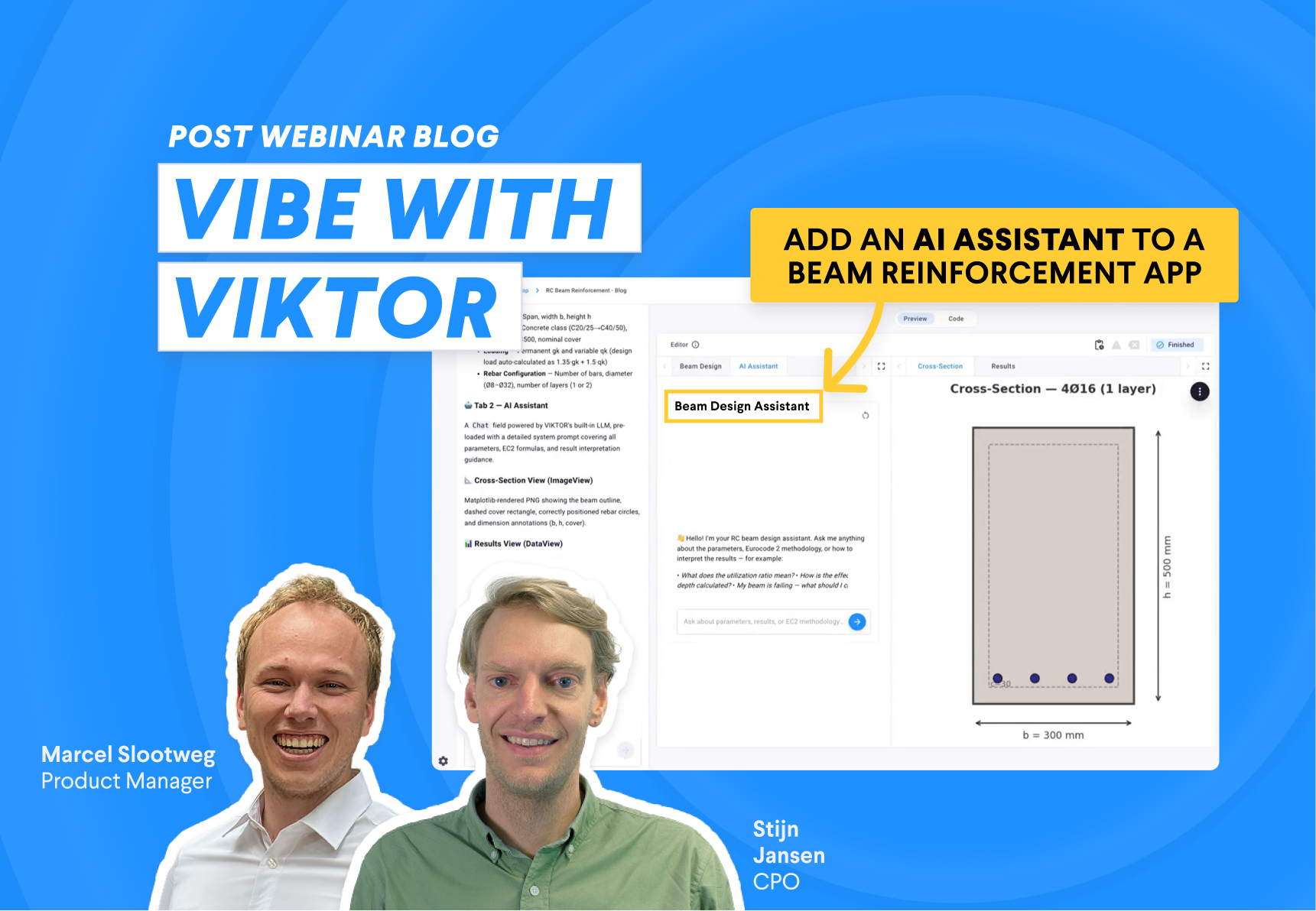
If you missed the webinar or want to revisit any part of it, the full recording is available on demand.
In the following sections, I will go through the best app examples from the webinar. You will be able to create them, test them, and use them in your own workflow:
- Add an AI assistant to a beam reinforcement app
- Turn borehole log images into structured data
- Extract PDF values and set app inputs automatically
- Query an IFC model for QTO and QA/QC task
1. Add an AI assistant to a beam reinforcement app
One idea that resonated with me was using an AI assistant to guide users while they work inside an application. Many engineering tools contain a lot of inputs, assumptions, and calculation steps, so users often need help understanding where to start and what each input means.
The example here is a reinforced concrete beam app. It calculates the reinforcement of a simply supported beam under a distributed load and shows the beam cross section with the rebar, so users can change the configuration and see the effect.
The assistant helps because reinforced concrete design apps often contain many parameters. Users can ask what a span means, how the load affects the reinforcement, or why a certain bar layout was selected, and get the answer inside the app.
You can use the following prompt to create the app:



Build this app now
This is especially useful for internal engineering apps. Teams often build tools for very specific workflows, and those tools may only be used a few times per month. An assistant helps users remember how the app works and reduces the time needed to get value from it.
With the VIKTOR out-of-the-box LLM, you also do not need to provide your own API key. The model is securely and privately hosted by VIKTOR, so teams can add AI support without managing their own model connection.
2. Turn borehole log images into structured data
Many geotechnical workflows still start with information trapped in borehole log images, scanned reports, or PDFs. The data is available, but it is not always ready to use in a calculation or report. Engineers often need to read the image, copy the depths, identify the soil layers, and type the result into a table.
In the webinar, Stijn and Marcel showed how an AI model can help with this step. The app reads a borehole log image, extracts the relevant data, and returns it in a structured table. This is a practical example because it saves time before the engineering work even starts.
You can test the app with this sample borehole log image. Download the file, upload it into the app, and let the AI model extract the borehole data into a structured table.
The value is not only the extraction itself. Once the data is structured, you can reuse it in other parts of the workflow. You can generate a report, compare boreholes, create plots, or send the extracted values to another calculation step.
Build this app!
3. Extract PDF values and set app inputs automatically
Another strong use case was letting an LLM read a document and fill app inputs automatically. This solves a common problem in engineering work. Many calculations begin with values that already exist in a report, table, or scanned document, but someone still needs to copy them into the right fields.
In the example Marcel showed, the app extracts values from a document and uses them to set the parametrization inputs. This avoids manual copy and paste work and helps the user move faster from reading a document to running a calculation.
You can test this app with this sample geotechnical PDF. Download the file, go to the Geotechnical Report (PDF) file field, upload the PDF, and click Set Parameters from PDF. The app will read the document, update the parametrization, and refresh the foundation model and results views.
This type of workflow is useful whenever the input information already exists somewhere else. Think about geotechnical reports, inspection notes, design tables, field forms, or supplier documents. The user should still review the extracted values, but the slow part of moving data into the app can be automated.
Build this app!
4. Query an IFC model for QTO and QA/QC tasks
The last use case I want to highlight is an IFC model assistant. The application includes a BIM model viewer and a chat field where you can talk with an AI agent. The agent can use custom tools to query the model, get quantities, and answer questions about the IFC file.
This is useful because BIM models contain a lot of information, but getting the right data often requires knowing where to look. With an agent, the user can ask a direct question, and the app can call the right tool behind the scenes.
You can try the app below:
When testing the app, try prompts like these:
- What materials are in the model and what are their total volumes?
- List the names and quantities of all IfcDoor objects.
- Which element types appear most often in the model?
- Which materials should I review first for a quick quantity check?
This is a good example of how agents can become part of engineering tools. The model is still queried through deterministic code and custom tools, but the user can interact with it through natural language.
Build this app!
Wrapping up
The webinar showed how AI can support engineers in very practical ways. It can guide users inside an app, digitize information from images, extract values from documents, and help users talk to engineering models through agents.
These examples show a pattern you can reuse in your own work. Start with a repetitive task, turn it into an app, and add AI where it saves time. If you want to explore how this could work for your own team, book a demo here.
Start building apps for free
Related Blog Posts

Get our best content in your inbox
Subscribe to our newsletter and get the latest industry insights