June 24, 2026

Tutorial: 5 cool VIKTOR apps for geotechnical workflows with BoreDM

Alejandro Duarte Vendries

by Alejandro Duarte Vendries

Geotechnical teams collect boreholes, SPTs, CPTs, groundwater records, samples, and lab results, but this data is often hard to reuse across reports, checks, and decisions. BoreDM gives this data a platform, and VIKTOR lets you create bespoke apps that use this data. In this tutorial, we will use BoreDM and VIKTOR to create, scale, and verify secure geotechnical workflows with maps, lithology views, SPT plots, parameter estimates, and an AI project agent.

The VIKTOR AI platform lets engineering teams build, share, and govern engineering automation apps. You can create these apps with prompting, connect them easily to software you already use, like BoreDM or PLAXIS, and publish them to the rest of your organisation through a centralised app store. Every app runs through a governed pipeline: thoroughly tested and accessible to the right people. That means that the app you build today can be shared, and reused by others on their projects.

To make this practical, you will run five prompts in the App Builder and build the workflow step by step. The goal is to turn BoreDM data into VIKTOR apps that help teams review information faster, automate repeated work, and keep the process easier to share and verify.

After running the prompts, you will have five VIKTOR apps that allow you and your team to:

  • Visualize BoreDM projects on a map with project status, responsible person, and description.
  • Connect a BoreDM API key to VIKTOR in a secure way.
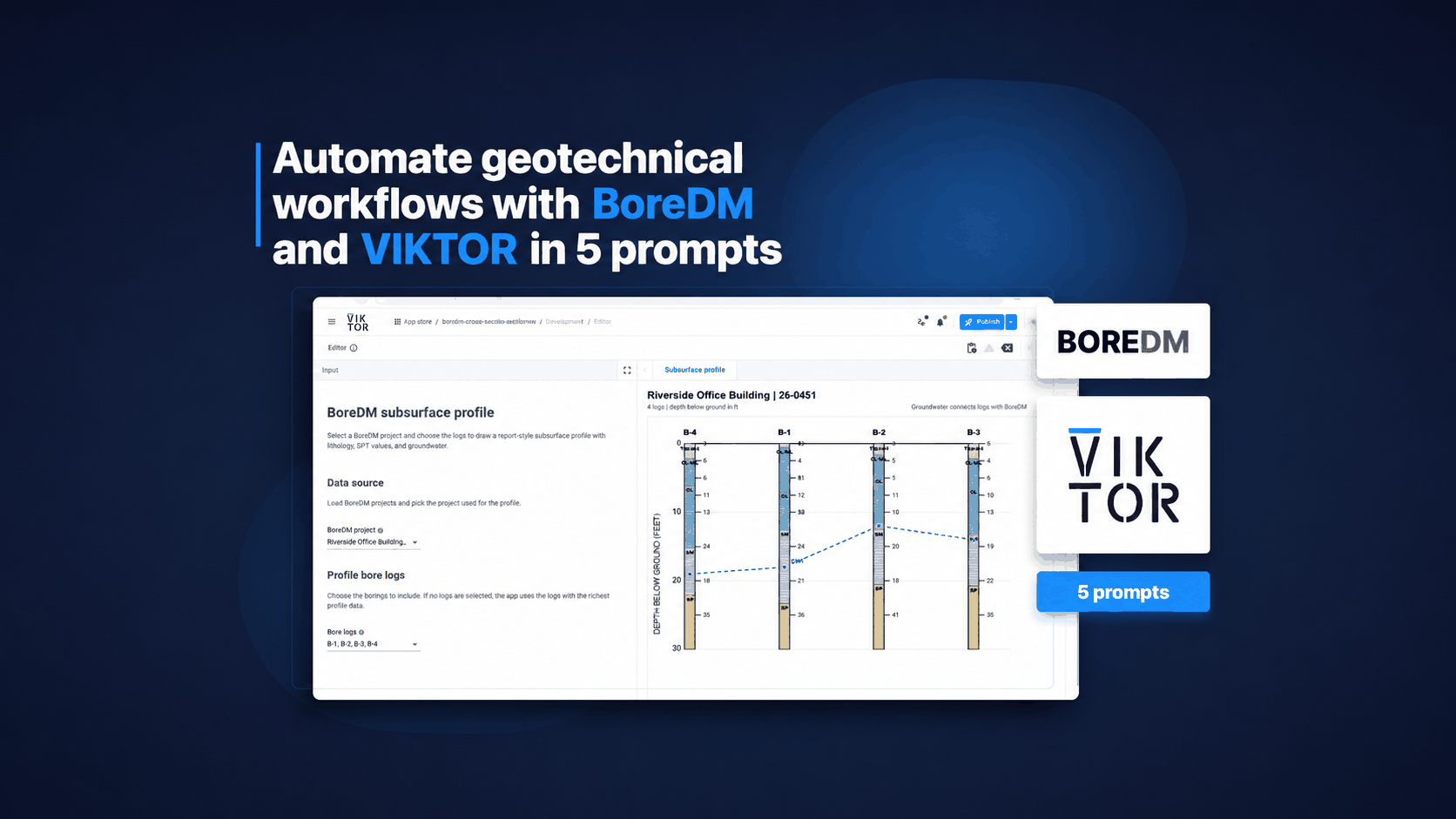
  • Visualize lithology and groundwater data from a selected project.
  • Read SPT data and plot N-values against depth.
  • Estimate geotechnical parameters from SPT values.
  • Create an AI agent that can answer questions about a BoreDM project.

Visualize your BoreDM project on a map

To start, you will run a prompt to create a VIKTOR app that visualizes your BoreDM projects on a map. This gives the team a quick way to see project location, status, and ownership before moving into the technical data.

Before running the first prompt, make sure you have a BoreDM API key. You can follow the steps here: Getting a BoreDM API key. Once you have it, run the following prompt in the App Builder. After the prompt creates the app, we will set the API key in the app.

Once you have the key, send this prompt to the App Builder to create the first app:

1Create a VIKTOR app that connects to BoreDM and visualizes my BoreDM projects on a map. 2 3The app should: 4- Read the BoreDM API key from the VIKTOR app secret BOREDM_API_KEY. 5- List the BoreDM projects that the API key can access. 6- Show each project on a map when location data is available. 7- Show a project dashboard with the project name, project number, status, responsible person, description, client, and last updated date. 8- Let the user select a project from the map or from a table. 9- Keep the BoreDM API key server side and never expose it in the WebView. 10 11Use the BoreDM integration documentation as reference for authentication and endpoints: 12https://docs.viktor.ai/docs/create-apps/software-integrations/boredm/

When the App Builder finishes creating the app, add the BoreDM API key in the app settings. Store it as BOREDM_API_KEY. This is quite easy, and you can check the setup here: Environment variables and secrets. In the video below, you will also see how to set this up.

Visualize BoreDM lithology

The second app focuses on BoreDM lithology. It helps engineers review soil layers faster, compare boreholes, and reduce manual log checking by turning borelog data into a clear visual workflow.

Use the prompt box below to create the lithology app:

1Help me create a separate VIKTOR app that connects to BoreDM and visualizes the lithology for a selected project. 2 3The app should: 4- Let the user select a BoreDM project inside this app. 5- Retrieve the borehole locations and log IDs for the selected project. 6- Retrieve the lithology data for each borehole. 7- Show a borehole selector so the user can inspect one borehole at a time. 8- Visualize the lithology layers with depth, material description, classification, and layer thickness. 9- Plot the groundwater table if groundwater data is available. 10- Show a clear table with the raw lithology records used in the visualization. 11- Keep the BoreDM API calls in a separate Python module so the app code stays organized. 12 13I will add my BoreDM API key as a VIKTOR secret named BOREDM_API_KEY.

Plot BoreDM SPT N-values for faster soil review

The next app focuses on BoreDM SPT records. It plots N-values with depth so the team can review the same data in one place, compare borelogs faster, and reuse the results in automatic reports or parameter estimation later.

Run this prompt in the App Builder:

1Help me create a VIKTOR app that connects to BoreDM and plots SPT N-values against depth for a selected group of borelogs. 2 3The app should: 4- Read the BoreDM API key from BOREDM_API_KEY. 5- Let the user select a BoreDM project. 6- Retrieve the borelogs linked to the selected project. 7- Let the user select one or more borelogs. 8- Retrieve SPT sample data for the selected borelogs. 9- Plot N-values versus depth for each selected borelog. 10- Show a table with borelog name, depth, SPT N-value, sample type, recovery, and any available notes. 11- Make it easy to compare multiple borelogs in one view. 12- Show a short warning when SPT data is missing for a selected borelog. 13 14Keep the BoreDM API methods in a separate file and reuse them across the app.

Estimate geotechnical parameters from BoreDM SPT data

After reviewing SPT records, you can use the same type of BoreDM data to create a parameter estimation app. This helps teams save time on repeated calculations, review assumptions more clearly, and reuse preliminary values in design checks or reports.

Send this prompt to the App Builder:

1Create a BoreDM geotechnical app in VIKTOR that reads borelogs and SPT N-values, applies SPT corrections, and estimates preliminary geotechnical parameters by depth. 2 3The app should: 4- Read the BoreDM API key from BOREDM_API_KEY. 5- Let the user select a BoreDM project and borelog. 6- Retrieve lithology, groundwater, and SPT sample data for the selected borelog. 7- Apply SPT corrections using N60 = Nmeas * CE * CB * CS * CR. 8- Apply overburden correction using (N1)60 = CN * N60. 9- Allow the user to define correction factors and manual assumptions. 10- Estimate phi' for sands using selected published correlations. 11- Estimate cu or Su for clays using selected published correlations. 12- Estimate Es using selected published correlations by soil type. 13- Show borelog layers, groundwater table, corrected SPT table, assumptions, selected methods, and plots versus depth for N, N60, (N1)60, phi', cu or Su, and Es. 14- Clearly mark the results as preliminary engineering estimates that require review. 15 16To organize the code, create a separate file for the BoreDM API methods and keep the engineering correlations in a separate calculation file. 17 18I will set the API key in the app secret as BOREDM_API_KEY.

Create a BoreDM project AI agent

Now that the app can visualize and calculate project data, you can run another prompt to create a BoreDM project AI agent. This helps new team members understand the project faster and lets engineers ask questions about verified data instead of searching through logs manually.

Run the following prompt to create the agent:

1Create a simple BoreDM geotechnical agent that connects to BoreDM data and helps users explore projects and borelogs. 2 3The app should include an AI agent that can: 4 5* List available BoreDM projects. 6* Get the project selected by the user through the conversation. 7* Retrieve the borelogs linked to the selected project. 8* List the borelogs with basic metadata. 9* Read the borelog data and describe each borelog in plain engineering language. 10 11Create a WebView dashboard that summarizes the borelog data from the selected project alongside the chat field. 12 13First, analyze the BoreDM API code and define the tool schemas to pass the required context to the agent.

Conclusion

And that's it. With these prompts, you can start from a simple BoreDM project map and build toward reusable geotechnical apps in VIKTOR. The same workflow can help your team reduce manual work, standardize repeated checks, and add AI in a controlled way around verified project data. To get started with BoreDM, visit BoreDM. If you want to give this workflow to your team with VIKTOR, book a demo here.
illustration of free trial

Start building apps now

Try for free
Share

Related Blog Posts

June 16, 2026

How to Automate and Scale SCIA, ALLPLAN, and BIMPLUS Workflows with AI in VIKTOR

Read more

May 12, 2026

5 Python Libraries for Automating Structural Engineering Workflows (with AI)

Read more

May 08, 2026

How InfraSpace and VIKTOR improve early-stage infrastructure planning with AI

Read more
Get our best content in your inbox

Subscribe to our newsletter and get the latest industry insights

Customer Cases

Blog Posts

White Papers & Guides