Watch the webinar
If you missed the session or want to revisit any part of it, the full webinar recording is available on demand here: Watch the recording.
In this blog I will guide you through the steps of:
- Building a Composite Bridge Analysis App
- Exploring how deterministic AI workflows work
Build a composite bridge analysis app
We will start by creating an application that Peter would have loved when he was working as an engineer designing composite bridges. He mentioned the repetitive nature of this design and the value of automation. He also reflected on how AI has made it easier to create this automation. You can replicate this by running the following prompt in the app builder:



Build composite bridge analysis app
After running the prompt, you will end up with an app that allows you to quickly check the deformation over multiple bridge configurations. As shown in the webinar, you can ask the agent to generate a PDF report with all the information from the app:
1Add a step 5 in which I can download a PDF report with the calculation steps and results
Deterministic AI workflows in action
Creating a simple application, as you did in the previous section, already generates a lot of value for you and your team. With VIKTOR you can also use, this app as a component in a more complex workflow. In the webinar, Stijn introduced the concept of AI workflows where an AI agent uses deterministic tools (VIKTOR apps) to create more complex analysis.
At this moment, you cannot build these agents and workflows in VIKTOR yourself yet, as this functionality is currently being developed. If you are interested, please join the waiting list for our beta program.
Now, let's see what Stijn build here:
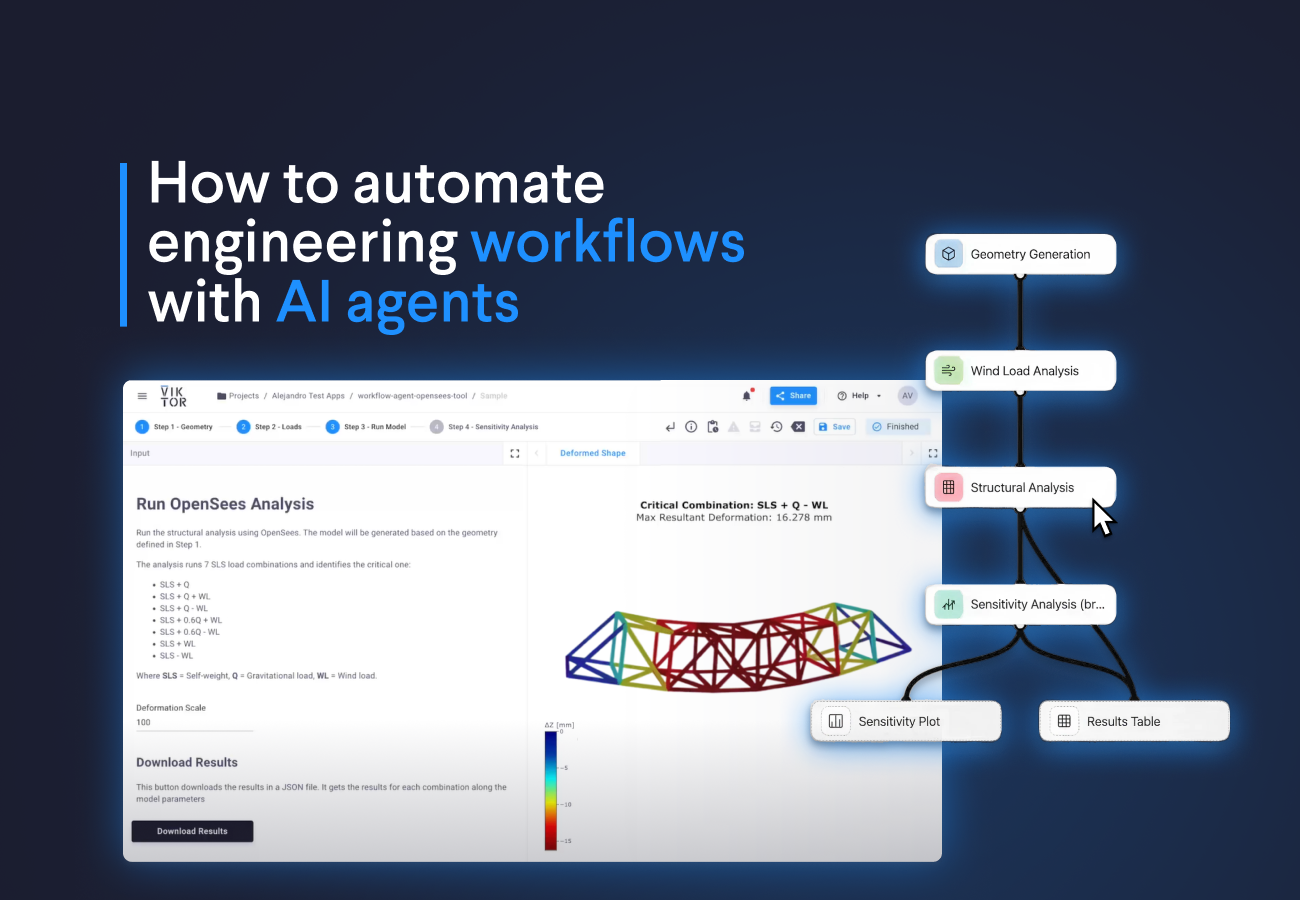
As an example, Stijn showcased an agent that creates a workflow to analyze bridges. This is useful if you want to perform sensitivity analysis on your designs. This is all possible because the agent has a set of VIKTOR applications to perform specific tasks (calculate wind loads, generate geometry, run structural analysis, etc). It creates a clear graph with all the steps and dependencies.
You can inspect each application’s implementation so you know exactly what it does. The agent feeds in the required inputs and produces verifiable results for each step in the workflow.
Finally, the agent runs the whole workflow and displays the results in a plot and in a table. You can even talk to it to find the optimal depth of the bridge or get insights from the model. Stijn summarizes this with an analogy: “it's like asking your colleague to perform some calculations, but in this case, the agent does it for you.”
Wrapping up
And that's it! You were able to create a useful application that analyzes composite bridge deformation in just minutes using simple prompts. You also learned how these deterministic apps can become building blocks for AI-driven workflows that automate complex engineering analysis.
If you want to follow up and keep exploring what VIKTOR and the App Builder can help you achieve, book a demo here.
Start building apps for free