February 25, 2026
What's new in VIKTOR (February 2026)

by VIKTOR
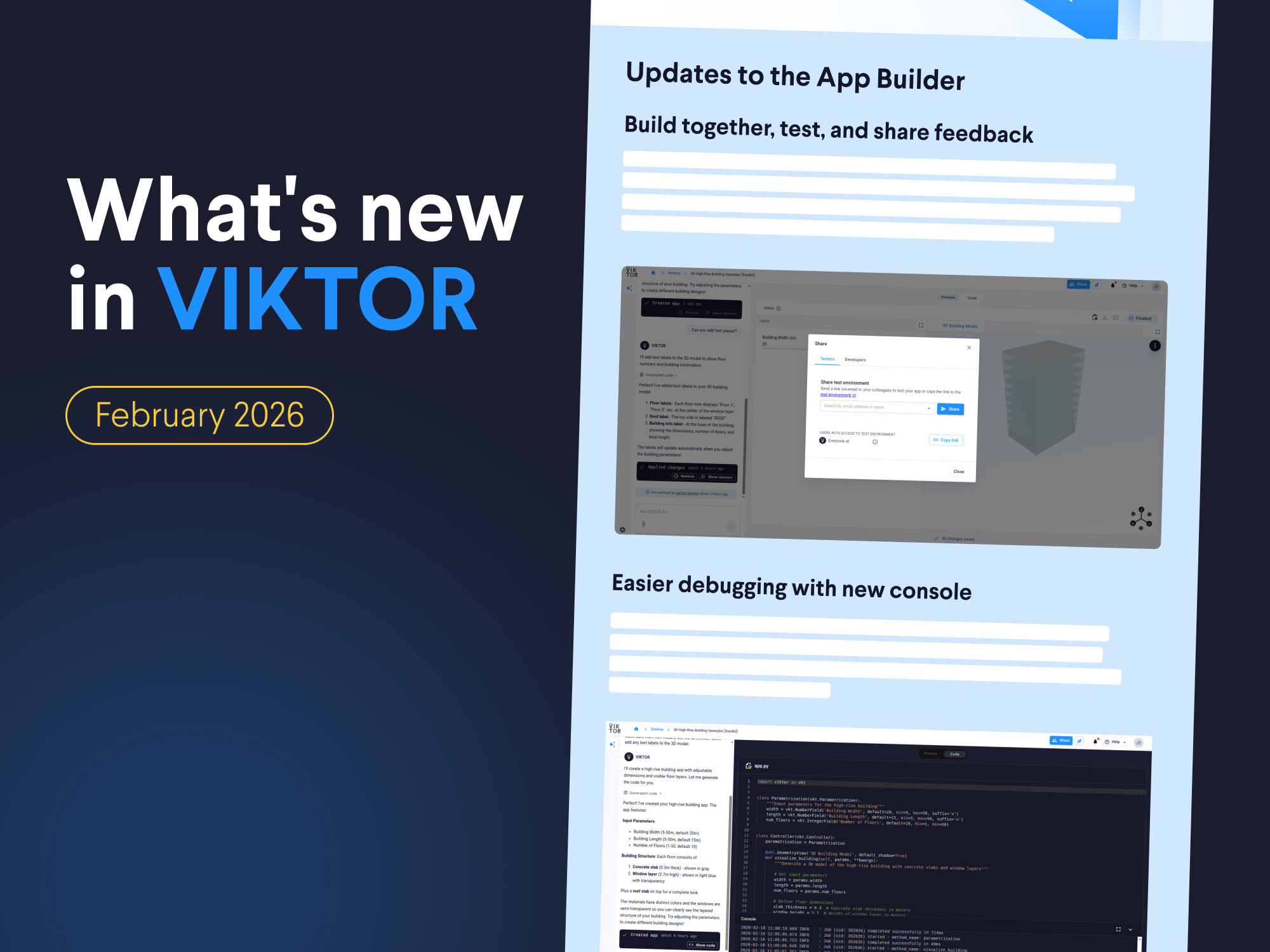
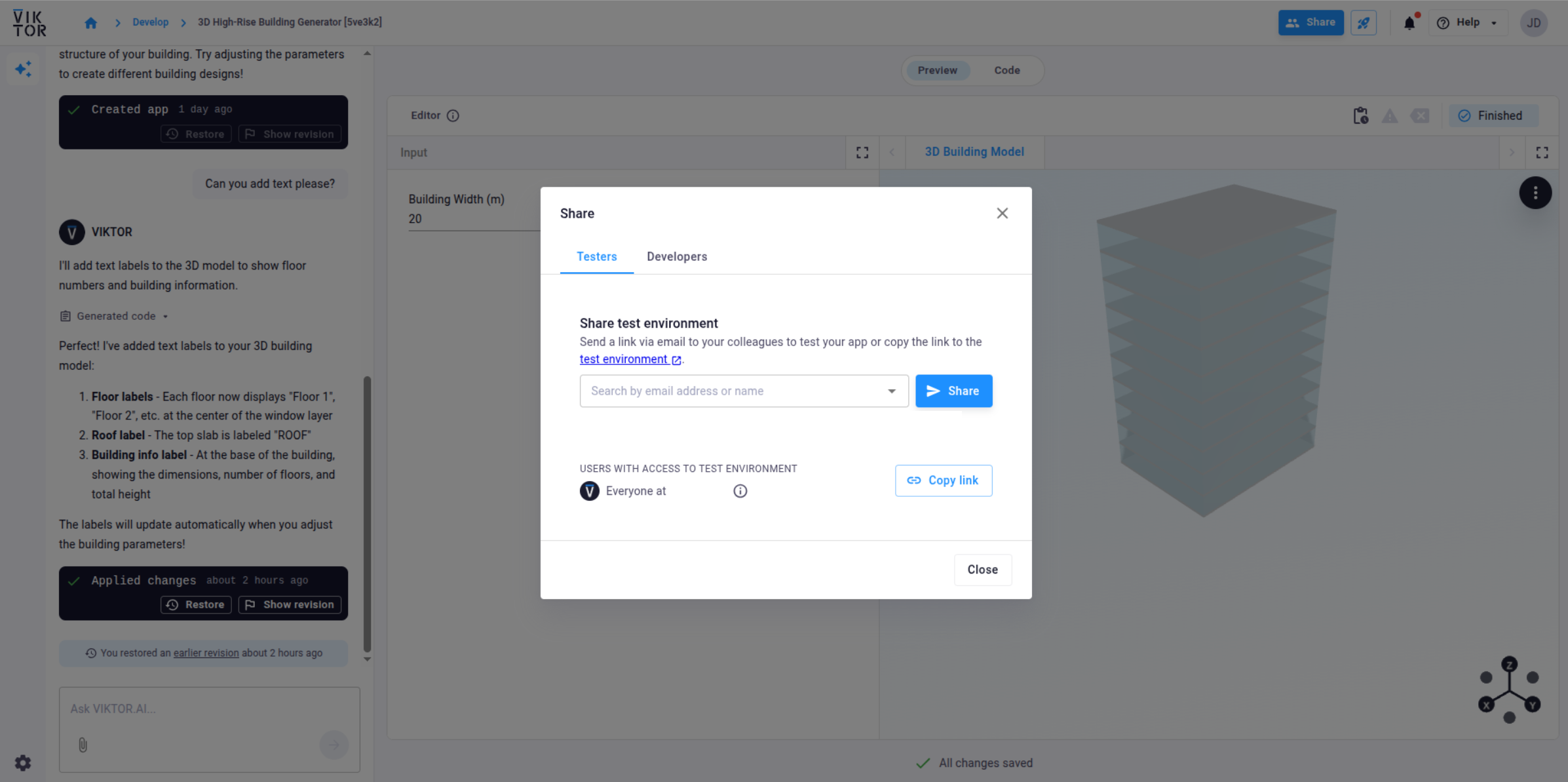
Build together, test, and share feedback
You can now share your App Builder apps directly with others to build together, let them test the app, or request feedback!
This means you can iterate faster and improve your app while it’s still in development. For example, share your structural design tool with a colleague to validate assumptions before releasing it to the organization.
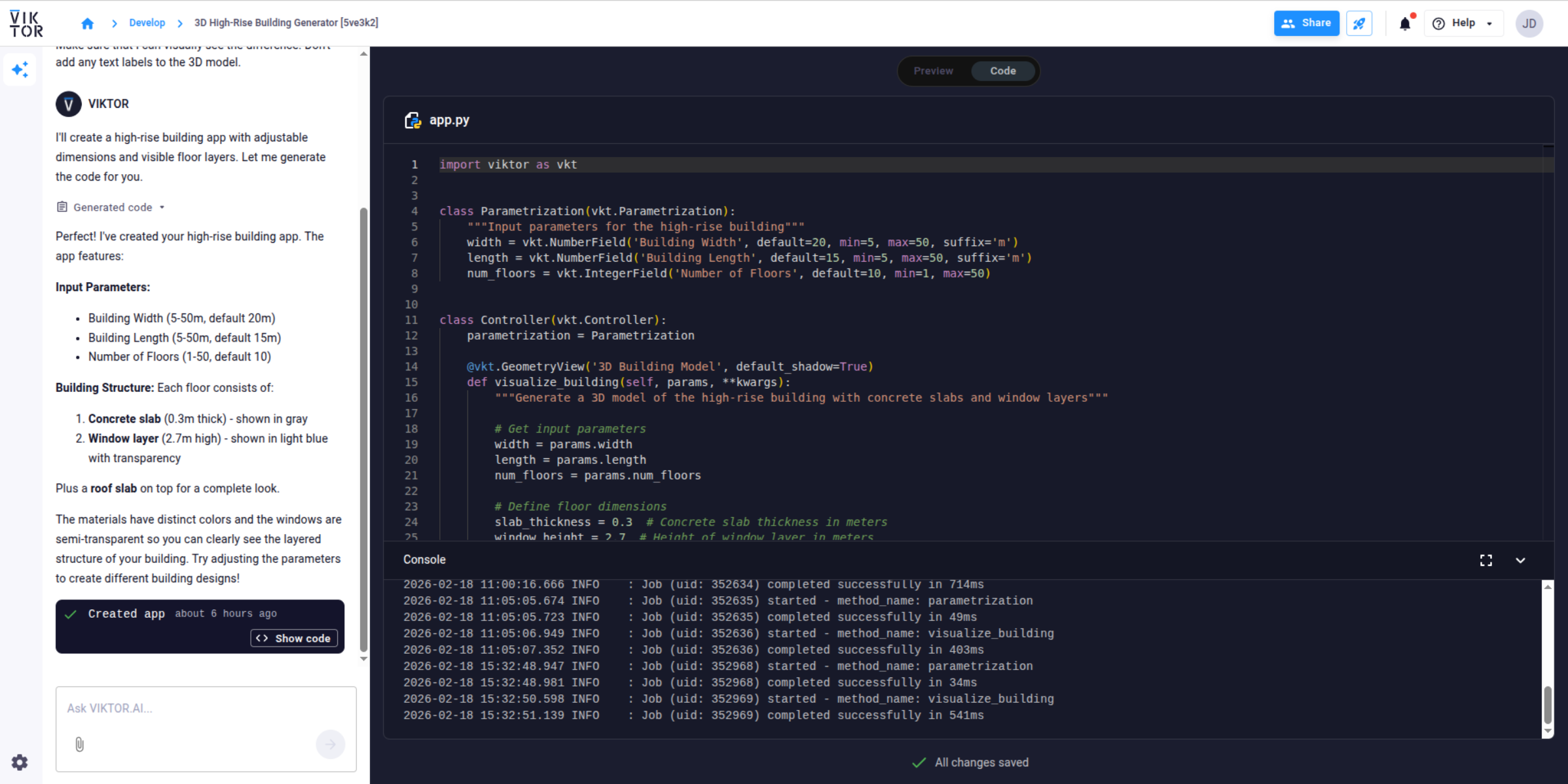
Easier debugging with new console
You can now access a console for debugging directly inside the App Builder.
The console shows logs from the running Python process, giving you insight into what your app is doing behind the scenes. If something breaks, you can inspect the output and easily understand what went wrong.
Visit the documentation to read more.
Control which apps are visible in the App Store
You can now control whether an app is “Available in App Store.”
By default, apps are not visible. Maintainers and admins decide when an app should be. This way, you can develop and test apps privately, avoid clutter in the App Store, and ensure users only see the tools that are ready to use!
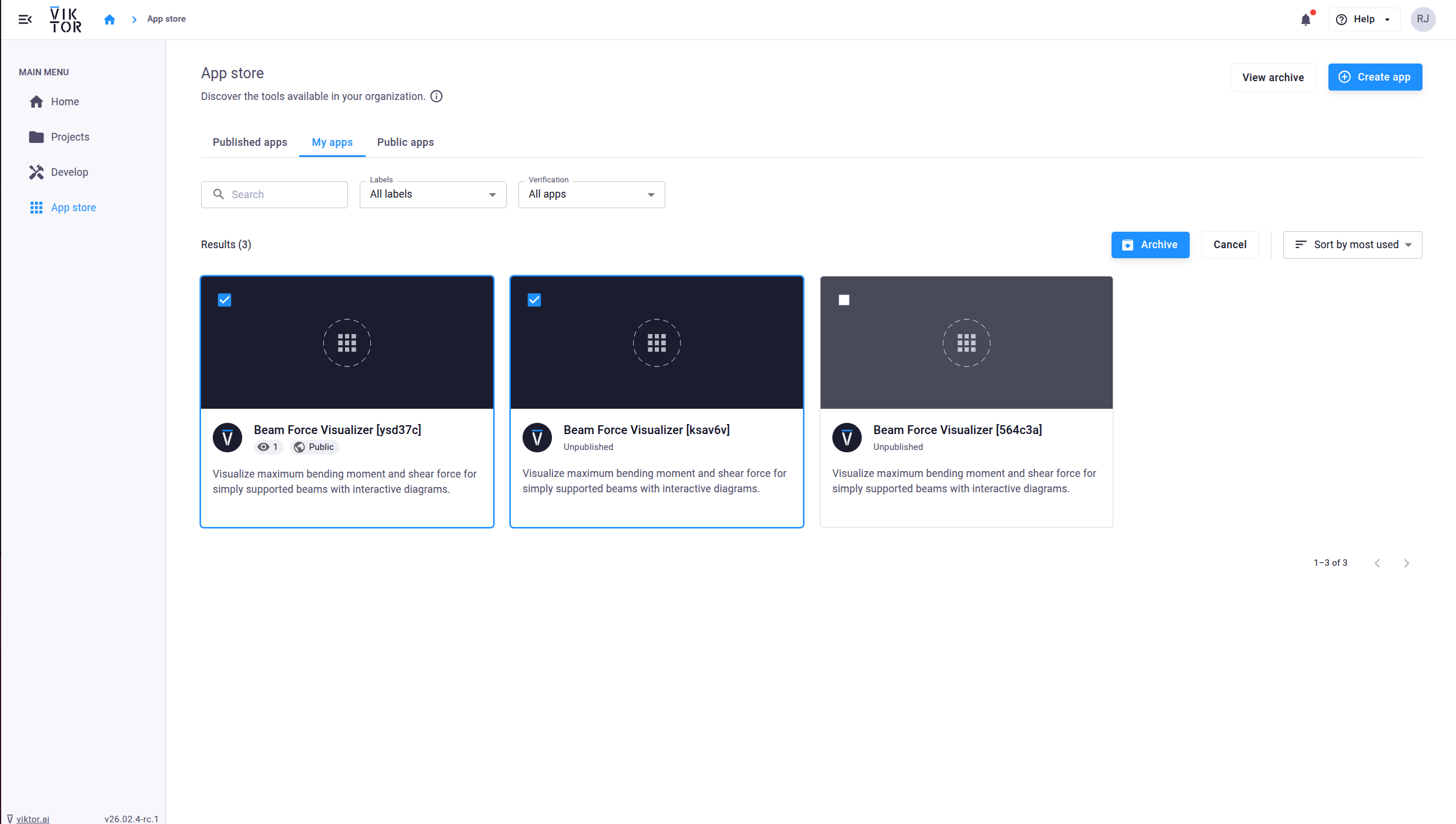
Batch archive App Store apps
As more apps are created, keeping the App Store clean becomes important. That's why you can now archive multiple apps at once (admins can batch archive all apps and maintainers can batch archive the apps they manage).
Reduce publishing time with .viktorignore
When publishing an app, all files in your folder used to be uploaded as well, including tests and experimental files.
You can now define a .viktorignore file. Just like .gitignore, it allows you to exclude specific files or folders from being uploaded during publication to give you more control over what is uploaded to the platform and reduce publishing time! Check out the documentation for more information.
Faster user invitation flow
Some admins might have already noticed the “developer rights” checkbox disappeared during user invitations. That's because users now can manage developer access themselves, either from their user settings or directly on the Develop page, making adding users faster and simpler for admins!
Community Spotlight
This month’s spotlight features an interactive Structural Behavior Teaching App, built by Ahmed A. Torky.
The app lets you explore structural response by modeling a hinge–hinge simply supported beam with adjustable dimensions, materials, and loading conditions. You can visualize shear force and bending moment diagrams, deflections, and even view 3D deformation, making concepts like pure bending, shear, torsion, combined stresses, and member deflections more intuitive and tangible.
Would you like to share your application with the rest of the community as well? Please let us know by sending an email to support@viktor.ai!
Other changes
SDK
- SDK version v14.27.2 is now available: changelog
CLI
- CLI version v0.47.0 is now available: changelog
PLATFORM
- Fixed create project button being disabled in the modal for normal users
- Fixed the projects page not loading for external users
- Fixed the editor locked state not properly recognizing the locking user
- Fixed user roles not being correctly assigned after onboarding
- Optimized organization user listing performance, caused by the project count query
- Improved performance of get /users/ endpoint by removing unnecessary prefetches
- Fixed the Show revision and Restore revision buttons on manual AI Builder updates not working correctly
Start building apps for free