
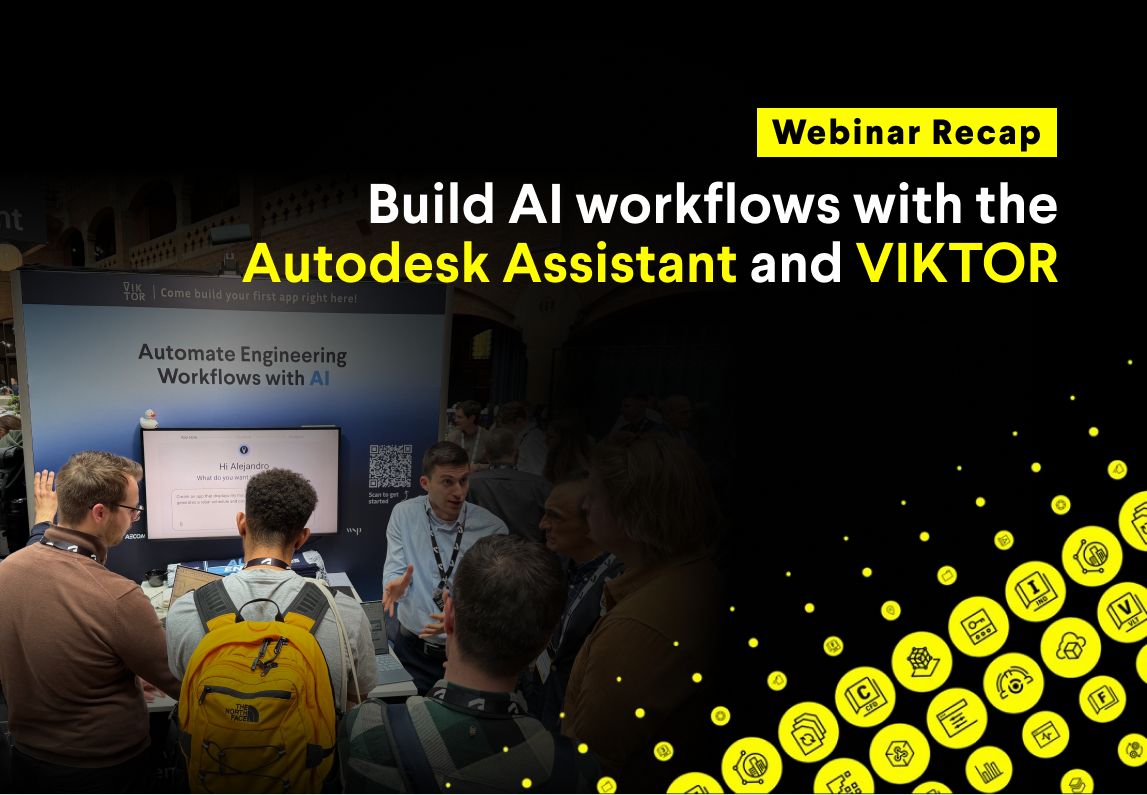
If you missed the session or want to revisit any part of it, the full webinar recording is available on demand here.
In this blog, you will:
- Learn how to use AI to create ACC and Forma apps in minutes
- Understand why AI matters now for engineering teams working under increasing pressure
- Learn about Autodesk's AI strategy
- See how Autodesk Assistant works with a VIKTOR MCP
Use AI to create ACC and Forma apps in minutes
Peter opened the webinar by stepping back from tools and demos for a moment. He started with the broader issues our society and industry are currently facing, and how these pressures are also being felt by engineering teams. Expectations keep growing. Teams need to deliver faster. Projects are more complex. At the same time, many workflows are still fragmented and too manual.
That is where AI starts to matter. Peter explained that AI is not valuable just because it is new. It becomes valuable when it helps engineers remove repetitive work, connect data, and automate steps that normally slow projects down.
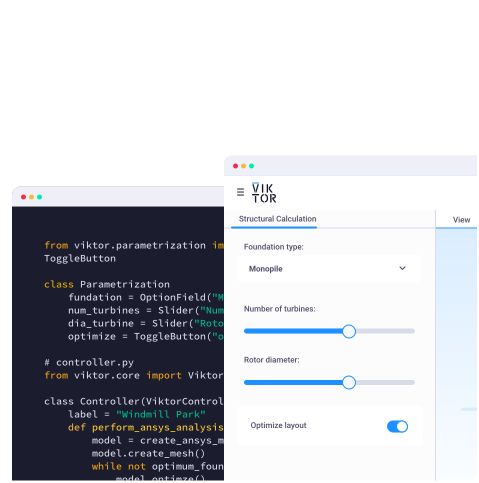
Peter then moved into the first live demo, showing how to use the VIKTOR App Builder to create an application that connects to Autodesk Construction Cloud, visualizes a Revit model, and includes an AI model inside the app. With a single prompt, Peter created an app that connects to ACC, displays the model, and lets users interact with it through a built in LLM chat. The app also includes custom tools so the model can query structural categories with the right ACC context.
This type of technology changes who can participate in building automation. More engineers can move from idea to working app without needing deep software development experience from day one.
The best way to understand what can be done with the App Builder is by trying it yourself. If you want to reproduce the same app, start with setting up the Autodesk integration in VIKTOR: Create BIM applications in minutes with AI and Autodesk Platform Services.
Next, download this model, upload it to ACC, and run the prompt below in the VIKTOR App Builder.



Create an app that connects with ACC
Autodesk's AI strategy
After the first demo, Anthony took over and explained Autodesk's AI strategy. This part connected the hands on demo to the larger direction Autodesk is taking across its platform.
Anthony explained that Autodesk is built around an open platform approach, making tools, APIs, and data accessible so developers and partners can build workflows that fit real project needs. That is why Autodesk Platform Services matter so much in this story. They provide the foundation for accessing project data, connecting systems, and creating applications on top of Autodesk tools.
From there, Anthony focused on MCPs and Autodesk Assistant. He explained that MCPs are becoming a key part of how AI systems get access to the right context and perform useful actions inside real tools.
The Autodesk Assistant is becoming more than a chatbot. It can work with official Autodesk MCPs and connect with trusted third party MCPs, which makes it possible to complete more useful engineering tasks across systems. Anthony also highlighted that these integrations are being built with product context, security, and Autodesk's trusted AI principles in mind.
Autodesk Assistant with a VIKTOR MCP
Peter showed how the Autodesk Assistant can consume a third party MCP to perform a real engineering task. For this demo, he used a VIKTOR app exposed as an MCP for HVAC duct optimization. The workflow started inside the Autodesk Assistant, but the engineering logic came from the VIKTOR side.
Peter showed an HVAC air supply model where duct sizing needed to be optimized. The Autodesk Assistant queried the relevant information from the model, including duct geometry, velocity, and flow related data. That information was then passed to the VIKTOR MCP, which returned the optimal duct sizes.
In short, the workflow looked like this:
- Autodesk Assistant receives the task
- The assistant collects the relevant model context
- The context is passed to the VIKTOR MCP
- The VIKTOR MCP runs the optimization logic
- The optimized duct sizes are returned back into the workflow
This demo showed the value of connected AI workflows clearly. Autodesk Assistant acted as the orchestrator, while the VIKTOR MCP delivered the engineering logic. That separation is important because it lets teams combine Autodesk context with specialized tools that already contain trusted calculations and company workflows.
This is also part of the fundamental shift happening in engineering. Agents, whether they live inside VIKTOR or inside the Autodesk Assistant, are changing the way engineers work. Instead of jumping between disconnected tools, engineers can start using AI systems that understand context, call the right tools, and help move work forward in one connected flow.
Wrapping up
This webinar showed a practical path forward for AI in engineering. It showed how teams can use AI to create APS apps faster and connect them to real project workflows.
It also gave a clearer view of Autodesk's AI strategy, how the Autodesk Assistant can evolve into a more capable interface for MCP driven workflows, and how VIKTOR can play a leading role by bringing trusted engineering logic into these connected systems.
If you want to explore how these workflows could fit your own engineering process, book a demo here.
Start building apps for free
Related Blog Posts
September 14, 2026
Automate AutoCAD drawings with VIKTOR AI: 3 prompts for parametric structures and details
Read more
August 27, 2026
Automate QA/QC checks in ETABS with VIKTOR AI: Lessons from our structural engineering masterclass
Read more
August 19, 2026