July 15, 2026
What's new in VIKTOR (July 2026)

by VIKTOR
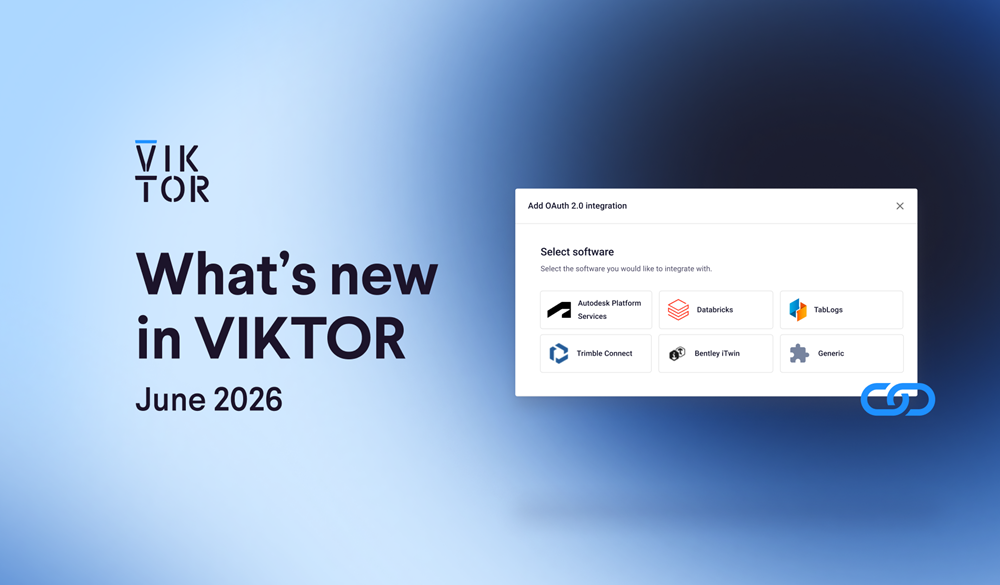
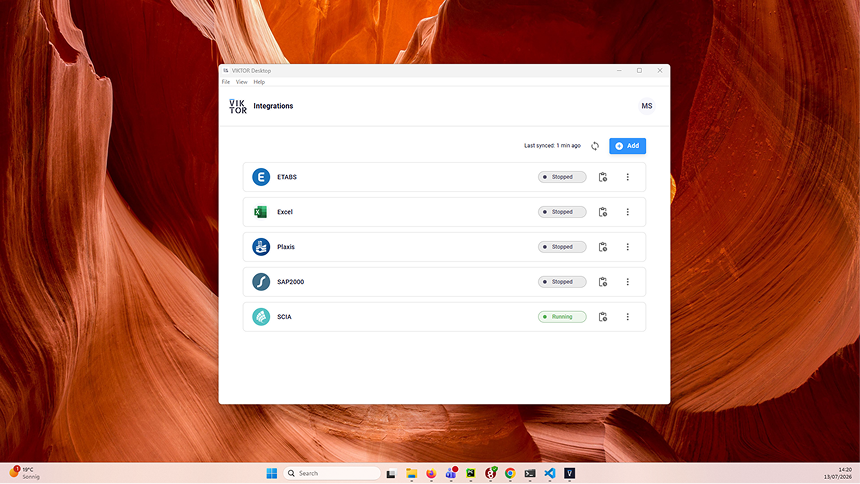
Connect your software with VIKTOR Desktop
VIKTOR Desktop makes it easy to connect your desktop engineering software to your VIKTOR apps. Install once, sign in once, and manage all your local software integrations from here.
Whether you're working with ETABS, SAP2000, PLAXIS, Excel, or other supported tools, you can quickly see what's connected and enable integrations.
Visit the documentation to learn more.
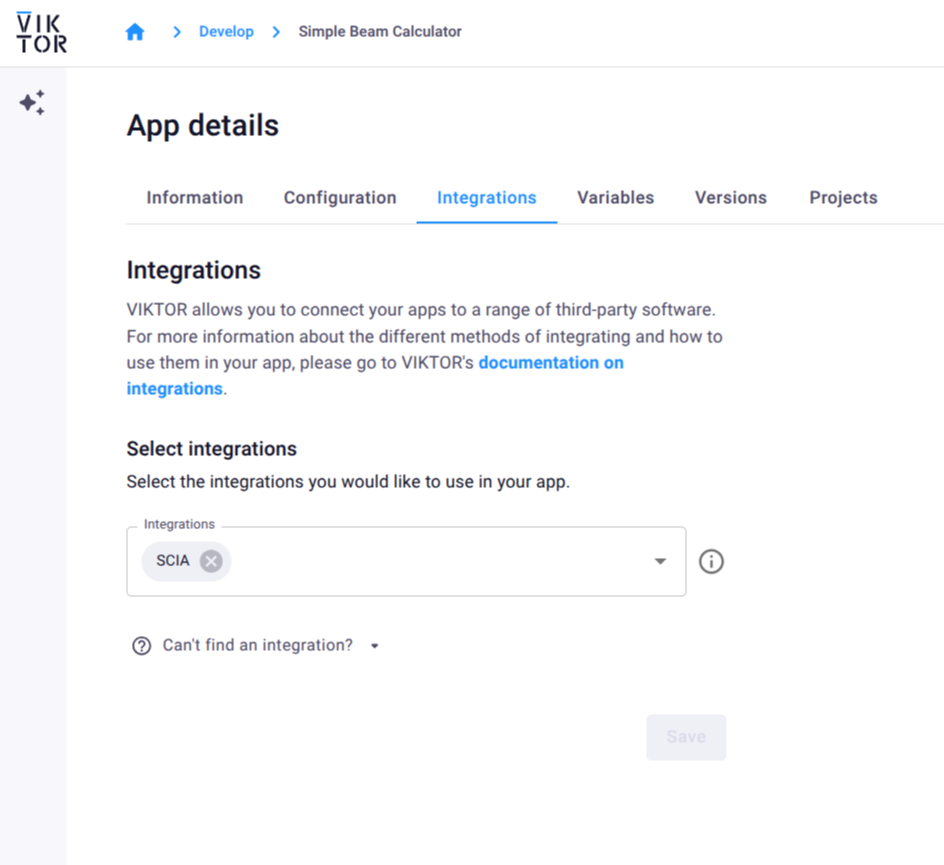
App Builder supports desktop software integrations
The App Builder now supports desktop software integrations. Simply choose the integrations your app requires, and the App Builder will guide you through the setup, or even configure it for you.
This makes it possible to build apps that connect directly to local engineering software, all from within the App Builder.
More information on supported integrations can be found in the documentation
Autosave for apps
Changes made in apps are now saved automatically. Simply continue working without worrying about manually saving your progress. Need to capture a specific version? You can still create manual revisions whenever you want.
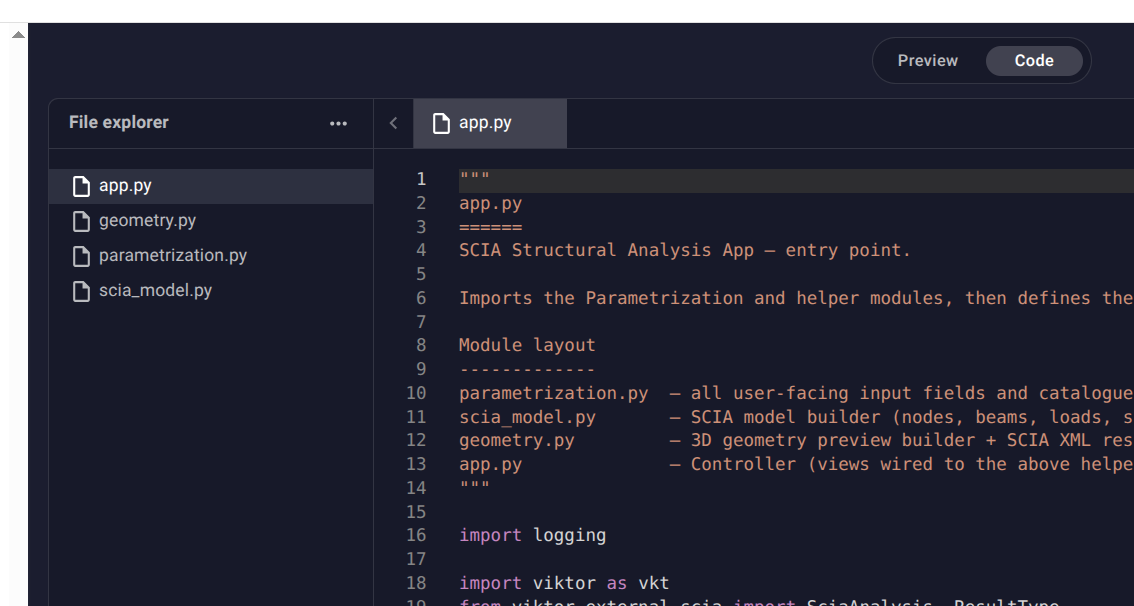
Organize App Builder app code across multiple files
You can now structure app code generated with the App Builder across multiple files and folders. Both you and the AI agent can create files, making it easier to build and maintain larger applications.
You can also manually upload additional files, such as Word documents, Excel spreadsheets, models, and other resources your app depends on.
More information available in the documentation.
App Builder remembers input
The App Builder now remembers your input values. That means you can continue iterating without repeatedly entering or uploading the same data, making it much easier to test your app, especially when working with larger datasets or files! Learn more.
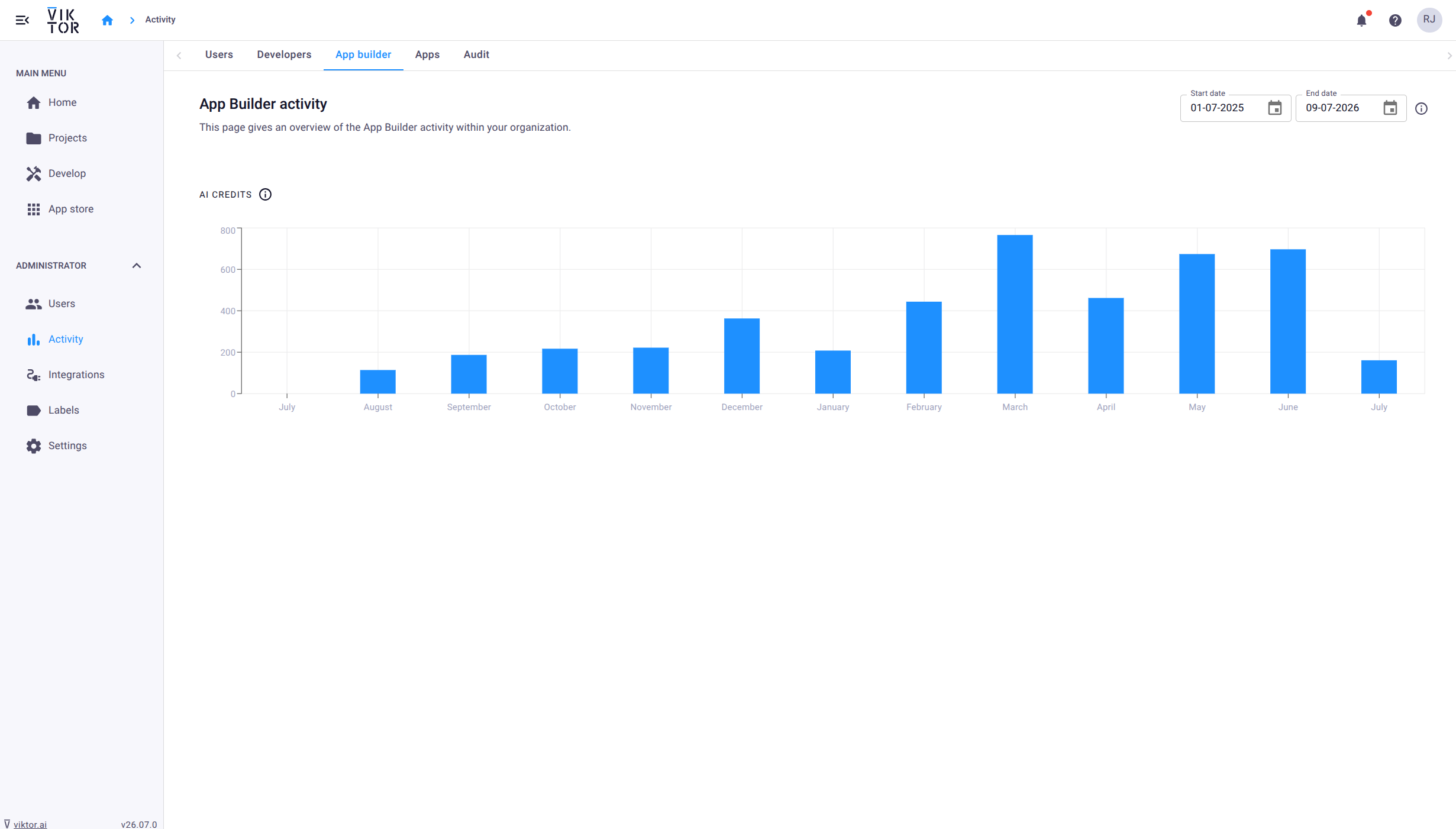
Track App Builder usage (admins)
The Activity Dashboard now includes App Builder usage metrics, enabling admins to monitior how the App Builder is being used across their organization.
Other changes
SDK
- SDK version v14.30.0 is now available: changelog
CLI
- CLI version v0.49.0 is now available: changelog
PLATFORM
- Fixed: TableView columns no longer revert to their original width after a period of inactivity.
- New: Worker job compute events (WORKERJOB.COMPUTE) are now accessible through the audit events API.
- Improved: Previously visited test apps remain visible in a user's recents, even if the app is not visible in the app store.
- ** New:** Users can now be invited to test apps.
- New: A "Copy test workspace link" button has been added to the app builder publish dialog for private publishes.
- New: Admins can now opt in to enable Python-based worker integrations in the app builder.
- Improved: Input validation for email fields has been strengthened.
- Updated: The home page now includes recently visited public workspaces.
- Updated: OAuth integration provider options are now listed in alphabetical order.
- Fixed: App card grid spacing on the archive page is now correct.
- Fixed: File upload sizes in the app builder now display in MB instead of MiB.
- Fixed: The sidebar no longer closes when clicking the VIKTOR logo.
- Updated: Project page actions have been moved to a context menu, and project users are now displayed on the page.
- Improved: File uploads in the app builder editor now persist between page refreshes.
- Fixed: Sorting labels that were incorrectly changed have been corrected.
- Fixed: Resolved a three.js crash on Firefox on certain devices.
Start automating your workflows
Related Blog Posts

Get our best content in your inbox
Subscribe to our newsletter and get the latest industry insights