

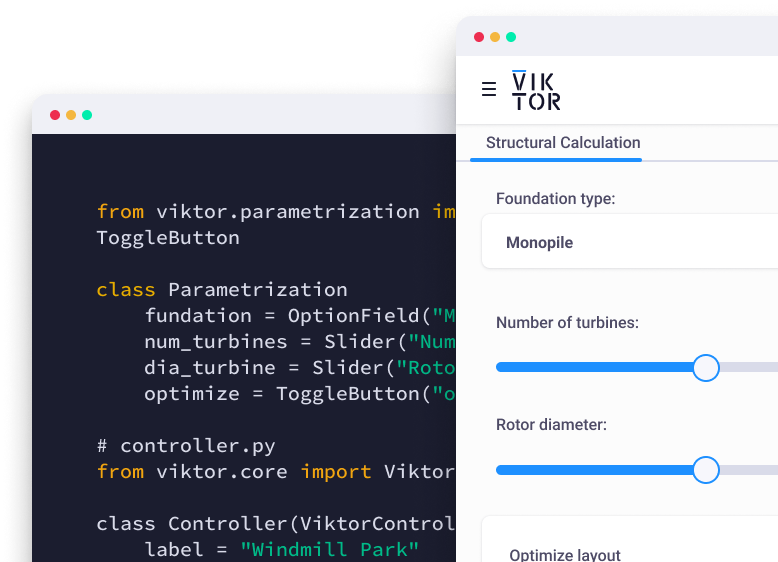
Start automating your workflows
If you missed the webinar or want to revisit any part of it, the full recording is available on demand here: Watch the recording.
In the following sections, I will walk through the main examples from the masterclass. You will learn how to:
- Turn an engineering challenge into a verified solution with VIKTOR AI
- Automate QA/QC checks for structural models in ETABS with AI
- Optimize pile-supported slab designs in SCIA to use materials more efficiently
- A preview of how VIKTOR AI can connect structural design steps into a reusable workflow
How VIKTOR turns engineering challenges into verified solutions
Janez and Stijn looked back at how structural engineers were often buried in drawings and hand calculations, spending hours on manual checks and calculations that leave little time for the engineering judgment that actually needs a human. They showed that every automation starts by clearly defining the engineering problem to solve.
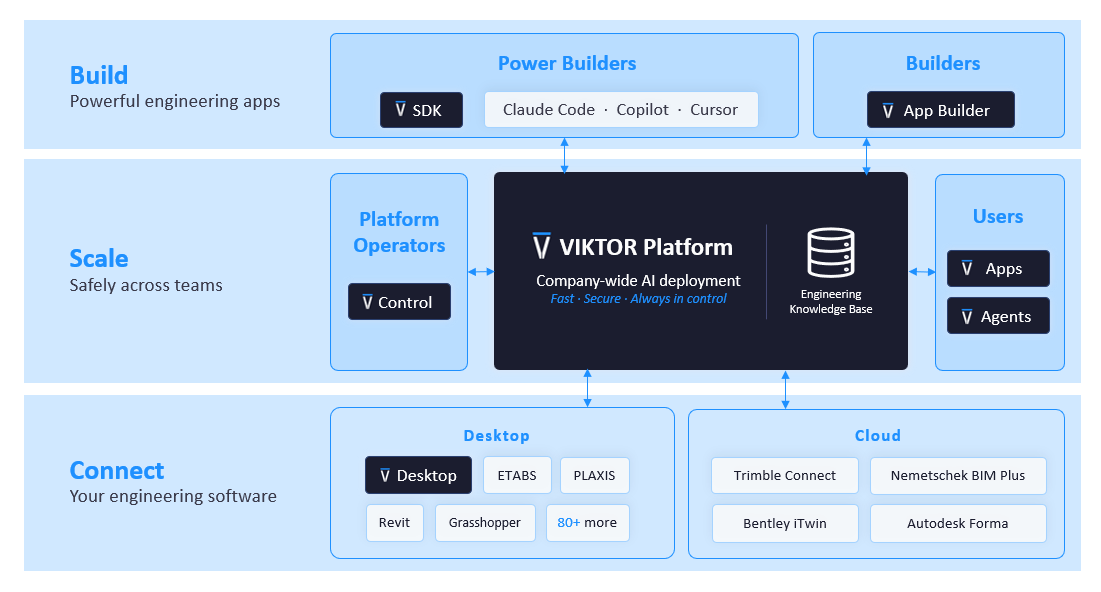
Stijn then explained that VIKTOR is an AI platform that turns engineering challenges into verified solutions, safely and at scale. You describe your goal, the site data and loads you're working with, and the standards that apply — in plain language, through VIKTOR AI. VIKTOR writes the Python code, builds the app, and gives you calculations, drawings, and reports you can trace back to their inputs, so you can check exactly how the answer was reached. This is supported by three parts of the platform:
- BUILD, where you or VIKTOR AI create engineering apps;
- SCALE, where those apps are shared, governed, and run across your organization; and
- CONNECT, which links everything to the engineering tools your team already uses, like ETABS and SCIA.
Automate QA/QC checks for structural building models in ETABS with VIKTOR AI
A missed or incorrect member-end release in a large structural model is easy to overlook and hard to catch manually. VIKTOR AI can check this automatically. Janez brought this process to life with a QA/QC example using a large ETABS model inspired by Marina Bay Sands in Singapore (the model was created solely for the demonstration and did not represent the actual project).
The model contained between 11,000 and 12,000 members, making visual checks difficult. ETABS displays member-end releases as small circular icons, so identifying an incorrect release can feel like searching for a needle in a haystack. These issues can remain hidden as projects progress and team members change, a single wrong release can go unnoticed until it affects the final results. For this example, Janez focused on identifying potentially problematic torsional releases assigned to members connected at the same joint.
Janez then built the app live in VIKTOR AI using a single prompt. In just a few minutes, he turned a complex QA/QC check into a working prototype, demonstrating how engineers can translate engineering logic into reusable applications.
Want to try this yourself? Here's the exact prompt to automate ETABS torsion-release checks with VIKTOR AI. Open your own model in ETABS, then enter the prompt below in VIKTOR AI



Automate ETABS torsion-release checks with AI
To connect the app to your active ETABS model, download and install VIKTOR Desktop, sign in, and add the ETABS integration. This gives the app a managed connection to the licensed ETABS installation on your Windows machine.
Optimize pile-supported slab designs in SCIA with VIKTOR AI
Comparing pile spacing options for a slab foundation normally means re-running the model by hand for every variant, a slow way to find the most efficient design. Stijn followed the QA/QC example with a fully parametric model of a concrete slab supported by piles. Instead of connecting to an existing model, the app generated the finite element model from scratch using inputs such as pile length and pile spacing. Through VIKTOR Desktop, it connected to SCIA Engineer, ran the analysis, and returned the maximum pile reaction and bending moment. The app also displayed the internal forces in contour plots so the engineer could review the behavior of the complete slab.
Stijn then added a variation analysis to study the pile spacing. Increasing the spacing reduces the number of piles, but it can also increase the pile reactions and bending moments. This may require longer piles or a thicker slab, tradeoffs that are tedious to check one at a time. By running several configurations automatically, the app helps engineers compare these tradeoffs and find a more efficient design. Stijn built the initial version in VIKTOR AI in about one hour, showing how quickly an idea can become a working app for comparing design options.
Connect structural design apps into a workflow with VIKTOR AI
Individual apps solve one calculation at a time. The next step is chaining them into a full engineering process, so VIKTOR AI showed a preview of exactly that. To close the webinar, Stijn shared a preview of workflows in VIKTOR AI. At the time of writing, the feature is available through an early-access beta and is not yet generally available. The demonstration showed how engineers will be able to connect several VIKTOR apps, describe the intended engineering process, and use an AI agent to coordinate the workflow while keeping the individual calculations transparent and controllable.
Stijn selected three apps and asked, “Can you help me design a floor for my factory?” The first app was the pile supported slab model from the previous example. The second performed a pile bearing analysis by retrieving soil conditions for a given location and using the pile reaction to determine the required pile length. The third used the bending moments to run a reinforced concrete section analysis, determine the reinforcement, and return the unity checks.
The VIKTOR AI agent created the workflow and ran the apps in sequence, passing the results from one calculation to the next. It first calculated the pile reactions and bending moments, then used those results for the geotechnical and reinforced concrete analyses. This preview showed how engineers could start with a challenge and build a workflow to orchestrate transparent and verified engineering apps.
Wrapping up
The webinar showed how structural engineers can use VIKTOR AI to move from a clearly defined challenge to a verified solution. Janez created an ETABS QA/QC app, while Stijn demonstrated how a parametric app can compare pile layouts and support design optimization in SCIA. The workflows preview showed how these apps could eventually be connected into a complete agentic workflow.
The same approach can help your team automate checks, connect analysis tools, explore designs faster, and share trusted workflows across projects. Which engineering challenge do you want to solve? Start now with VIKTOR.
Start automating your workflows
Related Blog Posts
October 09, 2026
How to automate warehouse quantity takeoff in Trimble Connect with VIKTOR AI
Read more
October 02, 2026
Autodesk University 2026 recap: Automate Civil 3D and AutoCAD workflows with VIKTOR AI and MCP
Read more
September 14, 2026
Automate AutoCAD drawings with VIKTOR AI: 3 prompts for parametric structures and details
Read moreGet our best content in your inbox
Subscribe to our newsletter and get the latest industry insights