
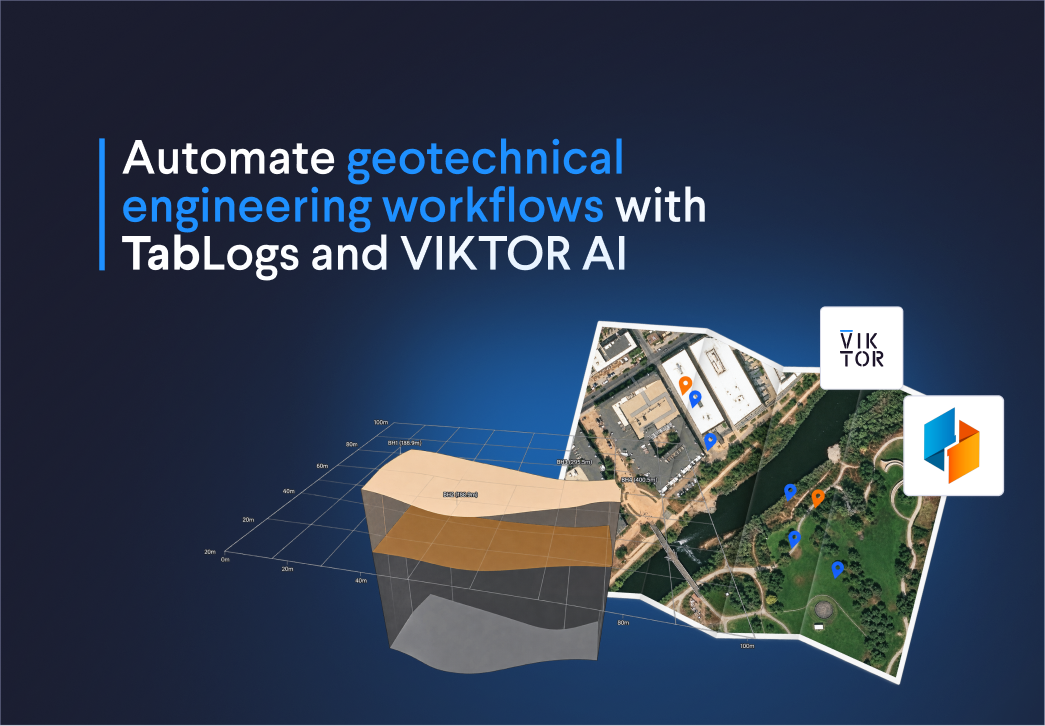
In this blog, you will create three TabLogs workflows:
- Borehole maps and soil profiles: find the relevant investigation records and see which project data is available, saving time spent searching through logs.
- Footing capacity calculations: compare foundation options between boreholes without copying soil parameters into separate spreadsheets, reducing manual work and the risk of copying errors.
- Preliminary liquefaction assessments: change seismic inputs, review results by depth, and prepare a Word report for your team, saving time on reporting and reducing manual copying
What is VIKTOR AI?
The VIKTOR AI platform gives you one place to automate engineering work, connect to the software you already use, and share apps with your team. You describe what you want to achieve, and VIKTOR AI turns your requirements into an app that performs calculations, processes project data, or generates reports.
The VIKTOR Knowledge Base helps your team keep the engineering knowledge behind these workflows available for future projects. Before sharing an app, your team can check it through development, testing, acceptance, and production (DTAP) stages, with VIKTOR Control managing governance and permissions. Once the app is ready, colleagues can find it in the Engineering Library and use it on another project by providing new project data. This lets your team build on existing knowledge and tested workflows, so you can spend more time reviewing results and making engineering decisions.
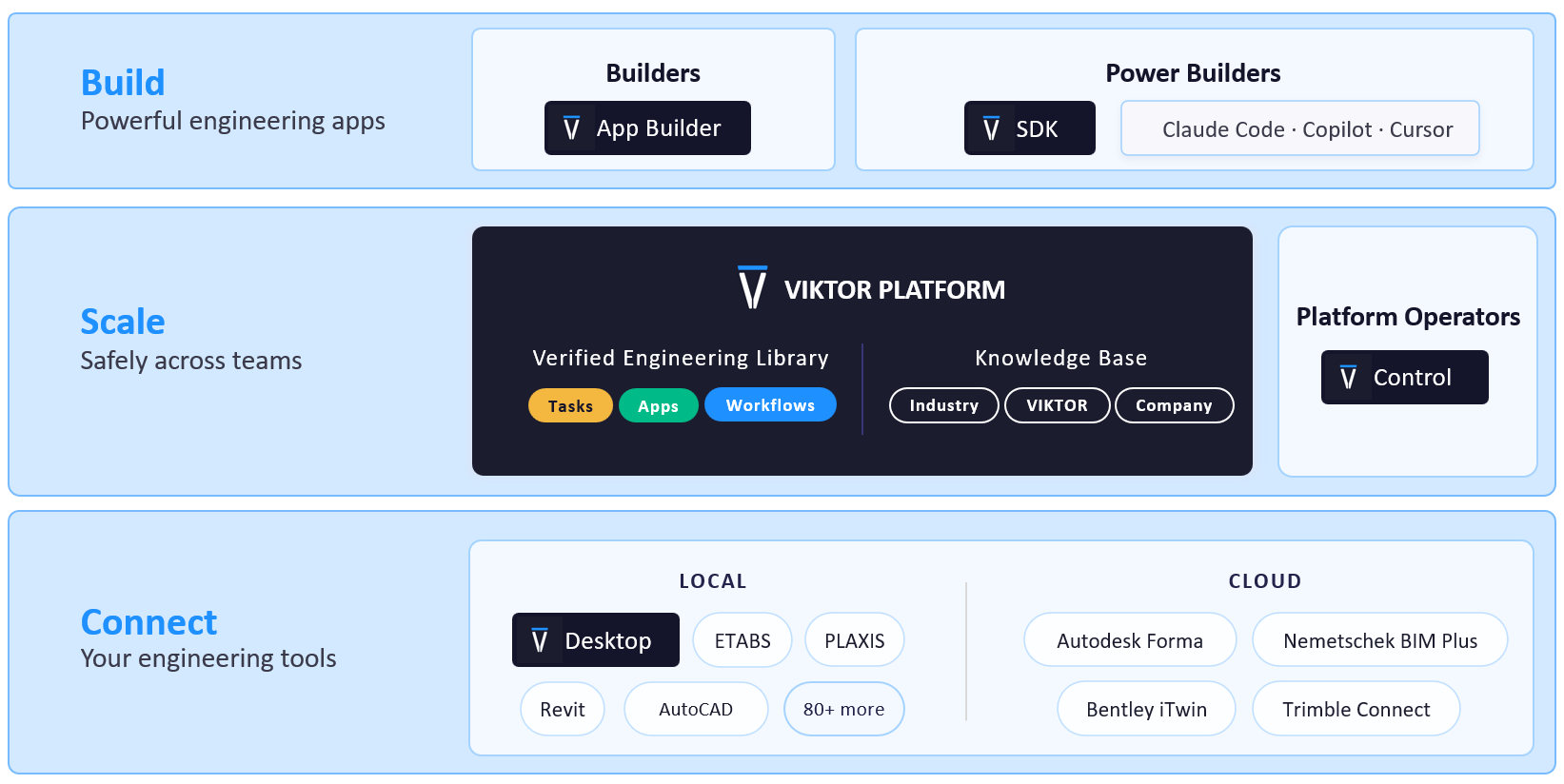
TabLogs is a cloud platform where geotechnical teams store, share, and review borehole records, field photos, and laboratory results. Connecting it to VIKTOR AI lets you use this data in your own geotechnical calculations and reports. The connection uses OAuth 2.0 to access your TabLogs data. You can reuse this connection across apps.
To use your TabLogs project data in VIKTOR AI, set up the connection in these three steps:
- Create or select a TabLogs project. Make sure your account can access its borehole records.
- Get your TabLogs client credentials. Open the VIKTOR integration in TabLogs to find the OAuth details.
- Create the OAuth 2.0 integration in VIKTOR AI. Your administrator configures the connection and assigns it to your apps.
For detailed instructions on each step, including prerequisites, screenshots, and configuration settings, follow the TabLogs integration guide.
In each prompt below, replace [YOUR-TABLOGS-INTEGRATION-NAME-HERE] with the exact OAuth integration name configured in the VIKTOR Administrator panel in step 3. In the App Builder, select it in App details and save. Sign in to TabLogs when requested.
How do I map boreholes and view soil layers from TabLogs with VIKTOR AI?
When geotechnical engineers review soil parameters, they need to know which borehole the results came from and where it sits on the site. The location of a standard penetration test (SPT) helps them assess whether its results are relevant to the proposed foundation.
Without VIKTOR AI, your TabLogs records and calculation sheets can remain separate. You may need to export logs, match borehole IDs, and ask colleagues which records support the design. Each transfer takes time and creates a risk of using data from the wrong location.
With VIKTOR AI, you can build an app that shows the borehole map and soil profile together. The first prompt requests this connection, so your team can inspect the location and layers before selecting parameters. The project summary extension helps colleagues see available data and missing information in the same app.
Paste this prompt into the VIKTOR App Builder. Each main prompt below can start a separate app.



Build a VIKTOR app that's connected to TabLogs
Extend the app with a project summary so colleagues can see the available information and remaining gaps:
1Add a WebView that summarizes project findings and available information.
2Show borehole and proposed-location counts, investigation depths, soil classifications, and available SPT records, groundwater observations, laboratory results, photographs, and attachments where the API exposes them.
3Include a table by borehole with source IDs and missing-data flags.
4Distinguish absent records from failed requests.
5Summarize observations without inventing design parameters, and show the data retrieval time.
How do I calculate footing bearing capacity from TabLogs boreholes with VIKTOR AI?
When I design footings, I often go back and forth with geotechnical engineers to get soil information for each foundation location. I need to know which boreholes and laboratory results support the parameters I use.
Without VIKTOR AI, changing the footing geometry can mean going back to the geotechnical engineer to check whether the bearing capacity still applies. Then I need to update the calculation sheet and send the new values for review. This takes time and makes it harder to keep everyone working with the same inputs.
With VIKTOR AI, I can build an app that connects the TabLogs records to a shallow-foundation bearing capacity calculation. I can change the footing width, length, or embedment depth and compare updated results between boreholes. The geotechnical engineer and I can review the same soil parameters, assumptions, and results in one app, with fewer emails and less manual copying.
Calculate footing bearing capacitiy from TabLogs boreholes
Add a cross-section so the structural and geotechnical engineers can review the footing geometry and soil profile together:
1Extend the shallow-foundation app with a new PlotlyView showing a two-dimensional (2D) cross-section of the footing and surrounding soil.
2Show the footing width, embedment depth, ground surface, soil layers, groundwater level, and applied load.
3Use the same inputs and units as the calculation and label the dimensions.
How do I assess liquefaction from TabLogs SPT data with VIKTOR AI?
A liquefaction assessment brings together SPT results, groundwater observations, soil data, and earthquake inputs. When you manage these inputs in separate calculation sheets, a new seismic scenario means rerunning the calculation, updating the plots, and copying the findings into a report. Missed updates can leave the report and calculation out of step.
You can bring these steps into a VIKTOR AI app that connects your TabLogs records to the assessment and its plots. Change the earthquake magnitude or design peak ground acceleration, rerun the calculation, and compare scenarios using the updated depth plots. The Word report extension uses the same results, reducing manual copying when you share the findings with your team.
Use the prompt in the box below to try it. It also requests the test corrections and applicability checks needed for a consistent SPT liquefaction procedure!
Asses liquefication from TabLogs SPT data
Extend the app to prepare a Word report without copying each chart and result:
1Extend the liquefaction app with a downloadable Word report (.docx).
2Include the project, boreholes, source IDs, data retrieval time, seismic inputs, calculation method, corrected SPT values, CSR, CRR, and factor of safety by depth.
3Add the depth plots and borehole comparison.
4Summarize the findings, missing inputs, skipped intervals, and all assumptions, including groundwater and default FC.
5Use the same results shown in the app.
6Clearly label the report as a preliminary assessment and leave space for the engineer's review comments.
How can I understand and verify the generated apps?
I use chat mode in the VIKTOR App Builder to understand how a generated app works, question its assumptions, and explore its limitations. For these geotechnical apps, I can ask which TabLogs records they read and how they calculate the results. By selecting Chat beside the send button, I can discuss the approach and ask follow-up questions without changing the app.
For example, you can ask: “Explain how this app uses my TabLogs borehole data. Which soil parameters, test results, and units does it use? How does it calculate footing bearing capacity or assess liquefaction? How does it handle SPT corrections and missing data? Describe its assumptions, limitations, and the checks I should make.”
You can also invite colleagues to collaborate through the Invite button in the App Builder. As maintainers, they can review the code, conversation history, and app revisions, and help improve the approach. To collect feedback from colleagues who will use the app, publish it privately and share the link within your company. Ask them to compare a soil profile with its TabLogs log and sample calculations with a geotechnical calculation your team has already checked. For liquefaction, use the same method and inputs when comparing results. Discuss any differences and check the assumptions together. This combines an understanding of the calculation method with a review of the results by your team.
Conclusion
These three prompts provide starting points for geotechnical workflows in TabLogs. Your team can request a borehole map with soil profiles, a shallow-foundation bearing capacity app, and a preliminary liquefaction assessment. Each prompt connects investigation data to outputs that support the next design review.
You can then extend the apps with project summaries, foundation cross-sections, and Word reports. On the VIKTOR AI platform, you can share and scale these workflows securely across teams, with permissions that control access to your apps and data. Try one of the prompts above, or book a demo here to explore how VIKTOR AI can automate your team's TabLogs workflows.
Start automating your workflows
Related Blog Posts
Get our best content in your inbox
Subscribe to our newsletter and get the latest industry insights