
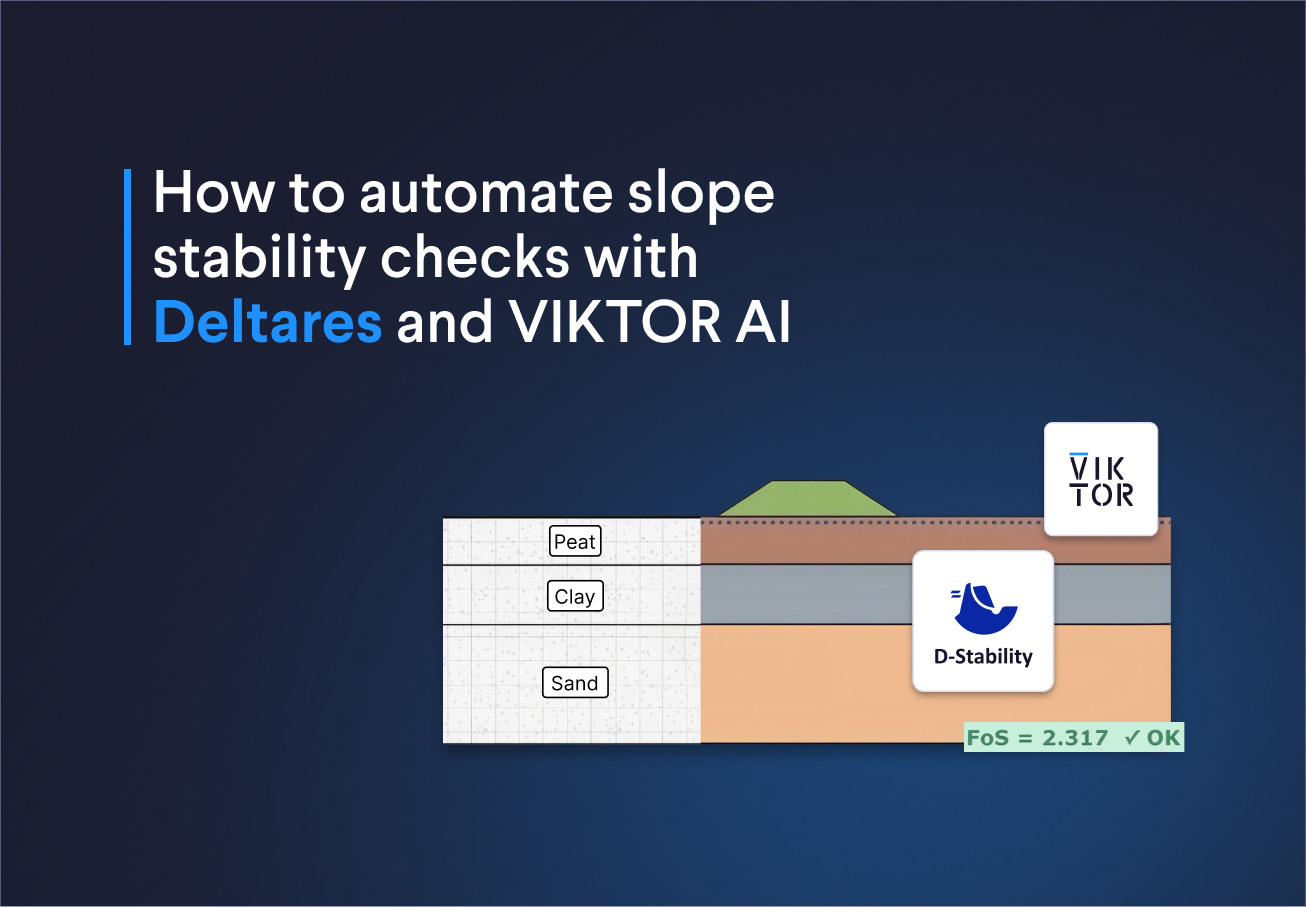
The three examples in this blog cover these D-Stability workflows.
-
Automatic PDF reporting. Run the embankment check and download a PDF report with the model inputs, calculated slip surface, and factor of safety.
-
Water-level sensitivity analysis. Build an embankment from editable inputs and compare the factor of safety (FoS) at different water levels.
-
Berm width optimization. Find the smallest tested width at each toe that meets the target FoS.
To follow along, download the free D-Stability installer for Windows. You can find it under the D-GEO Suite on the Deltares website. Download D-Stability
Create a new app in the VIKTOR App Builder and attach the D-Stability guide to your first message. Use the same guide for all three apps. Run the calculations in Preview. Download the D-Stability guide
What is VIKTOR AI?
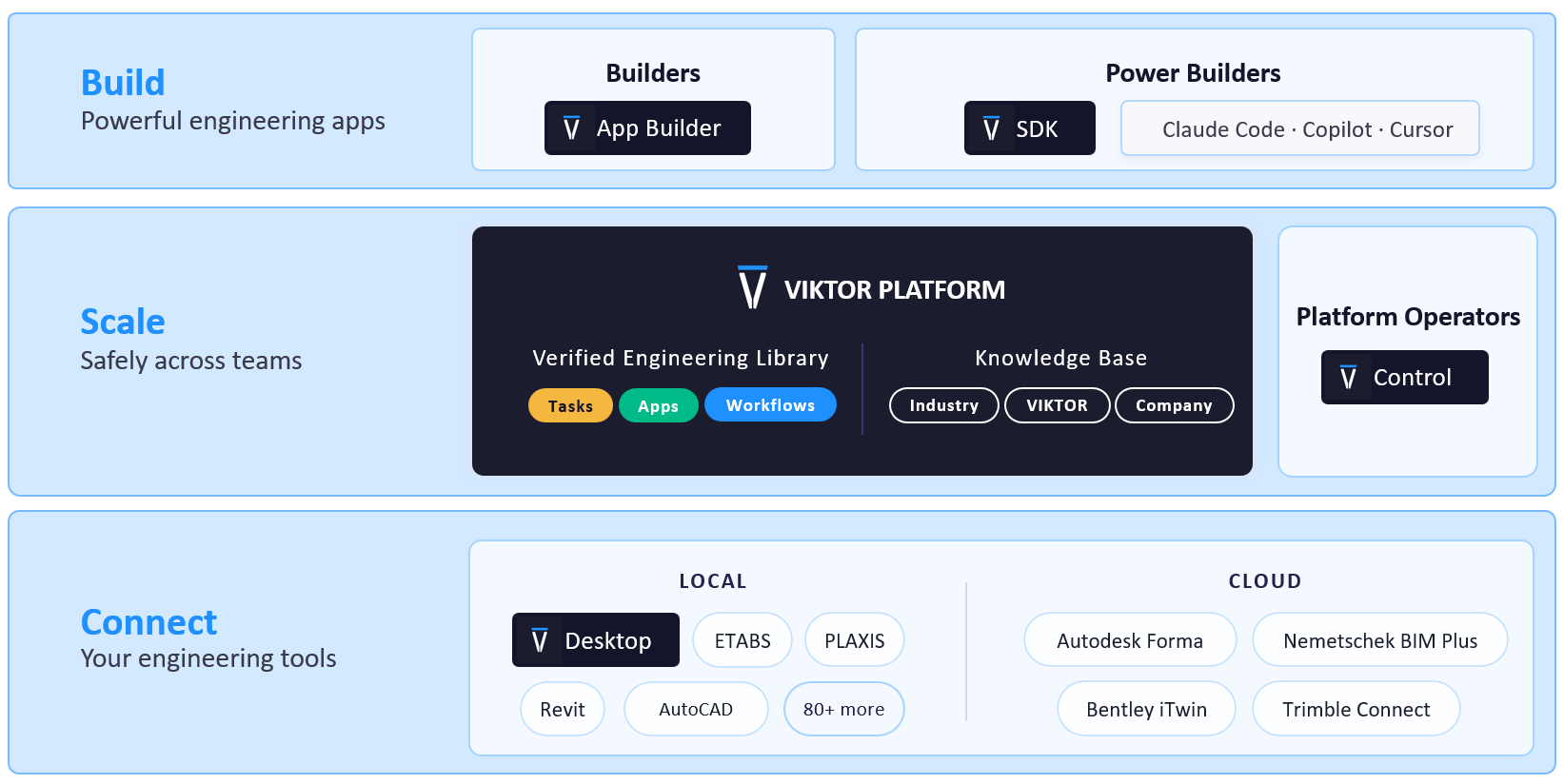
The VIKTOR AI platform gives you one place to automate engineering work, connect to the software you already use, and share apps with your team. You describe what you want to achieve, and VIKTOR AI turns your requirements into an app that performs calculations, processes project data, or generates reports.
The VIKTOR Knowledge Base helps your team keep the engineering knowledge behind these workflows available for future projects. Before sharing an app, your team can check it through development, testing, acceptance, and production (DTAP) stages, with VIKTOR Control managing governance and permissions. Once the app is ready, colleagues can find it in the Engineering Library and use it on another project by providing new project data.This lets your team build on existing knowledge and tested workflows, so you can spend more time reviewing results and making engineering decisions.
How do I check an embankment and generate a report in Deltares with VIKTOR AI?
When I check an embankment, I need to see which inputs produced the slip surface and factor of safety. When I do this manually, I update the model in D-Stability, run the check, and copy the inputs, plot, and result into a report. If I change the load or the section, I have to update the report again.
With VIKTOR AI, you can create an app that shows the section before the run and the calculated slip surface after it. The app uses the solved model to create the PDF. So when you change the traffic surcharge or add a geotextile, you can review the new result and download the report for that case.
To test this workflow, run the following prompt in the App Builder.



Embankment Stability Calculator
To run the checks in D-Stability, download and install VIKTOR Desktop on the Windows computer where D-Stability is installed. Sign in, add the D-Stability integration, and select D-Stability Console.exe as the executable. Start the worker before you run the checks in Preview. Download and set up VIKTOR Desktop
Once you’ve tested the app, you can add an editable Word report. Run the following prompt in the App Builder.
1- Add a Download Word report button alongside the PDF button.
2- Generate a .docx using the same solved D-Stability result.
3- Add a page header with the title Embankment Stability Report and the report date. Include the model inputs, calculated slip surface plot, and factor of safety.
How do I run a water-level sensitivity analysis in Deltares with VIKTOR AI?
When I check the effect of water level, I want to change only that input. In a manual run, I enter each water level, solve the model again, and record the factor of safety for that level. To compare the results, I then put them in a table or plot.
With VIKTOR AI, you can build the embankment from the geometry and soil inputs and see the base model before you run the sweep. The app uses the same geometry, soils, and crest load at each water level. You can compare the results in a chart and table, then download one D-Stability file with all the solved cases.
To test this workflow, run the following prompt in the App Builder.
Embankment Water-Level Sweep
Once you’ve tested the app, you can compare the effect of traffic loading at each water level. Run the following prompt in App Builder.
1- Run the same water-level sweep with the crest traffic surcharge and with the surcharge set to zero. Keep the geometry and soil properties fixed.
2- Show one curve for each load case in the existing factor-of-safety chart.
3- In the results table, show both factors of safety and the difference at each water level.
How do I optimize the berm width in Deltares with VIKTOR AI?
When I compare berm widths, I want to find the smallest option that meets the target factor of safety. In a manual comparison, I change the geometry for each width, run the checks, and compare the results. If the target changes, I go back through the results to find which widths still meet it.
With VIKTOR AI, you can edit the embankment inputs and check the base section before you run the sweep. The app calculates every width in one D-Stability worker job. It marks the smallest passing width on the chart and shows the factor of safety for every width in the table.
To test this workflow, run the following prompt in the App Builder.
Embankment Berm Optimizer
Once you’ve tested the app, you can add a download for the selected berm design. Run the following prompt in the App Builder.
1- Add a Download selected berm model button.
2- Build a one-scenario D-Stability model for the smallest tested berm width that meets the target, using the same inputs as the sweep. Solve it on the worker and return the solved .stix.
3- Show a message if no tested width meets the target.
How can I understand and verify the generated apps?
When I want to check how an app calculates its results, I switch from Build to Chat. I can ask about the calculation while I review the app in Preview. App Builder chat mode
For example, ask the App Builder, “How does this app create the D-Stability model and read the results? Which units and assumptions does it use, and which inputs stay fixed between runs?”
Download the solved .stix and open it in Deltares D-Stability to verify the app’s results.
You can invite colleagues through the Invite button in the App Builder. As maintainers, they can review the app, the conversation, and the revisions, and help check the approach. Collaborate in the App Builder
To collect feedback from the people who will use the app, publish it privately and share the link within your company. Ask them to check that the PDF matches the solved model and that the optimizer selects the smallest tested width that meets the target.
Conclusion
With VIKTOR AI and D-Stability, you can save time by automating manual work, see how one input affects the factor of safety, and find the smallest tested berm width that meets your target.
Try one of the prompts with the supplied guide and review the results with your team. To explore how VIKTOR AI can automate your own geotechnical workflows, book a demo.

Let us show you how VIKTOR
can help you solve any challenge
Related Blog Posts

Get our best content in your inbox
Subscribe to our newsletter and get the latest industry insights